 WaveSmith
Home / Guides / How to cut an MP3 on Windows (MP3 cutter)
How to cut an MP3 on Windows (MP3 cutter)

You do not need an online cutter that uploads the voicemail. WaveSmith trims on disk.
Keep the MP3 on this PC
An online MP3 cutter is fast until the file is a voicemail, a client interview, or a lecture you are not allowed to upload. WaveSmith is a Windows 64-bit editor: File → Open, or drag the MP3 onto the window. The waveform paints locally. wavesmith.org never receives the audio — this site only ships pages and the installer.
Select on the waveform, then cut
Click-drag the part you want to drop and Cut, or select the keepers and delete the sides. Copy leaves the original in place. Export Selection writes only the marked slice — a quote, a chapter, a ringtone-length clip. Paste can crossfade so the join does not click. Keep zero-cross on for voice; think twice before you cut a musical transient off-zero.
This how-to is the day-one job: make a shorter MP3. The feature page Cut, copy, paste, and crossfade is the menu map (Edit, toolbar, right-click, shortcuts). Use that page when you want every command; stay here when you only need the trim.
Save a float master; export an MP3 copy
File → Save writes the editor document. Convert/Export writes a delivery MP3 next to it. If you still need the full lecture, do not overwrite the only copy. Choose a new filename. 192 kbps is a sane default for speech; 320 if the host allows it. ID3 tags do not survive every round trip — check the title after export if a CMS reads it.
If the join ticks: Undo, enable zero-cross, or paste with a short crossfade. Listen on headphones at the seam. If the file got quieter after a tiny cut, you probably normalized by accident — History (Ctrl+Shift+H) names the step so you can revert just that pass.
A typical afternoon with one voicemail
Someone sends a four-minute MP3. You only need the question in the middle. Open it, zoom until the breath before the question is obvious, drag that region, Copy or Export Selection, write a new filename. File → Save if you still want the float document. Do not call the delivery file the same name as the voicemail. Tomorrow you will not remember which one was short.
If you are cutting music, loop two bars while you decide the in-point. Markers help a one-hour file stay navigable. The feature page Cut, copy, paste, and crossfade lists every command; this tutorial is only the trim you came here to finish. When the MP3 is the length you wanted, you are done — unless the host also wants a loudness number, in which case open How to normalize audio loudness next.
Failure paths people actually hit
Three failures show up every week. First: exporting 96 kbps because a website defaulted there, then wondering why sibilants rasp. Pick 192 for speech or 320 if the host allows it, from the named Convert row, not from a mystery slider. Second: File → Save over the only lecture MP3. Save writes the editor document; Convert/Export writes a delivery copy. Give the copy a new name. Third: trimming a file you do not have the right to redistribute. Local editing does not grant a license. If the MP3 is a client’s, send the cut back to them; do not post it.
Zoom until the breath before a word is a shape, not a guess. Loop two bars if you are cutting music. Markers keep a one-hour file navigable so you are not scrolling with a prayer. Export Selection if you only need the quote. Then listen on headphones, not laptop speakers: a click at the join is obvious there and invisible on a phone speaker in a kitchen. If you hear a tick, undo, enable zero-cross, add a short crossfade, export again.
When the file is the length you wanted, stop. Do not “improve” it with a limiter because an online cutter had a loudness button. If a host also wants a LUFS number, that is How to normalize audio loudness — a second, named pass from the float master. If you need to glue two trims, that is How to merge audio files. This URL is the cutter.
How to do it in WaveSmith
Download WaveSmith and open the MP3 from File or Explorer.
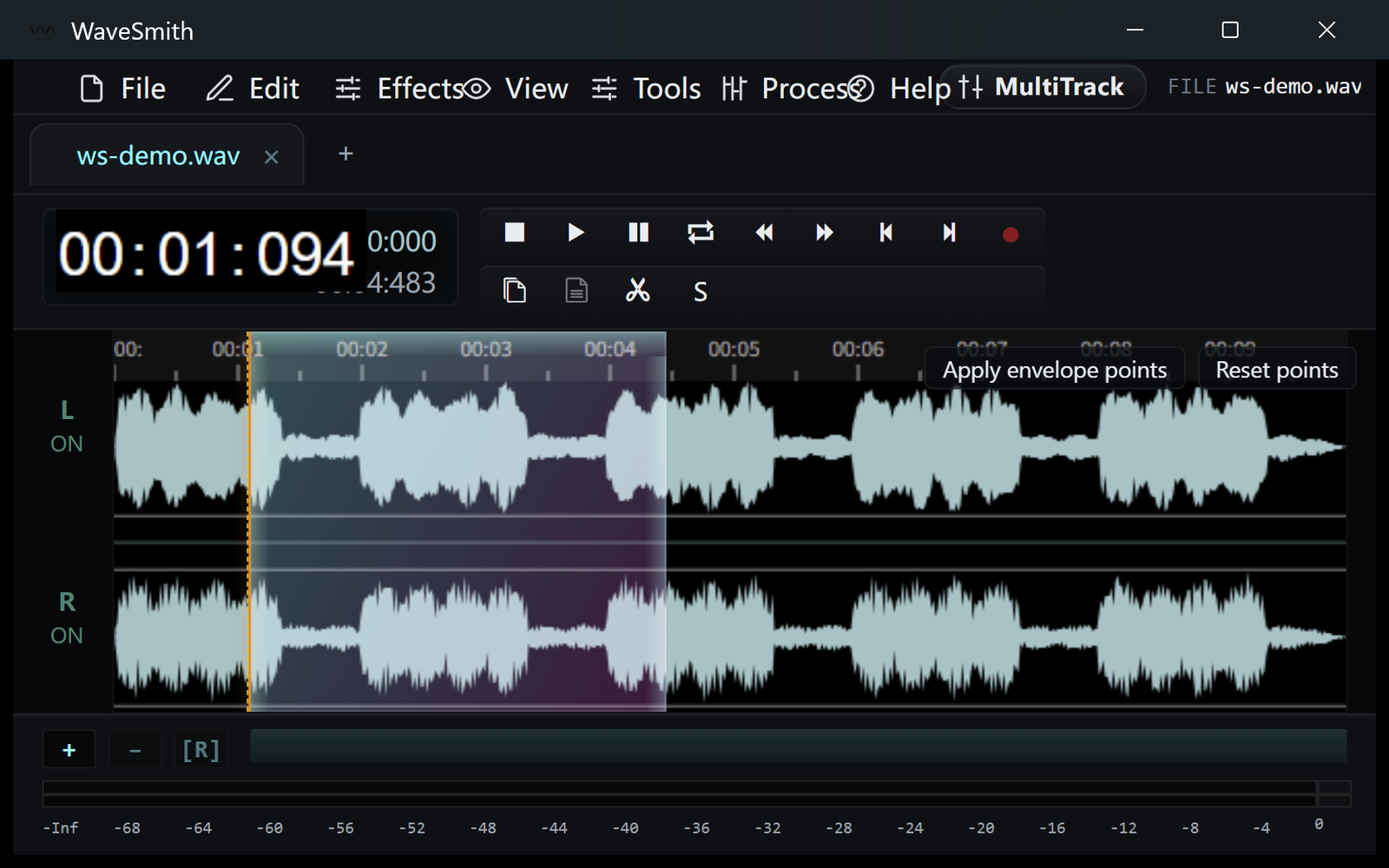
Step 1 Drag the part you want to drop and Cut, or select the keepers and delete the sides.
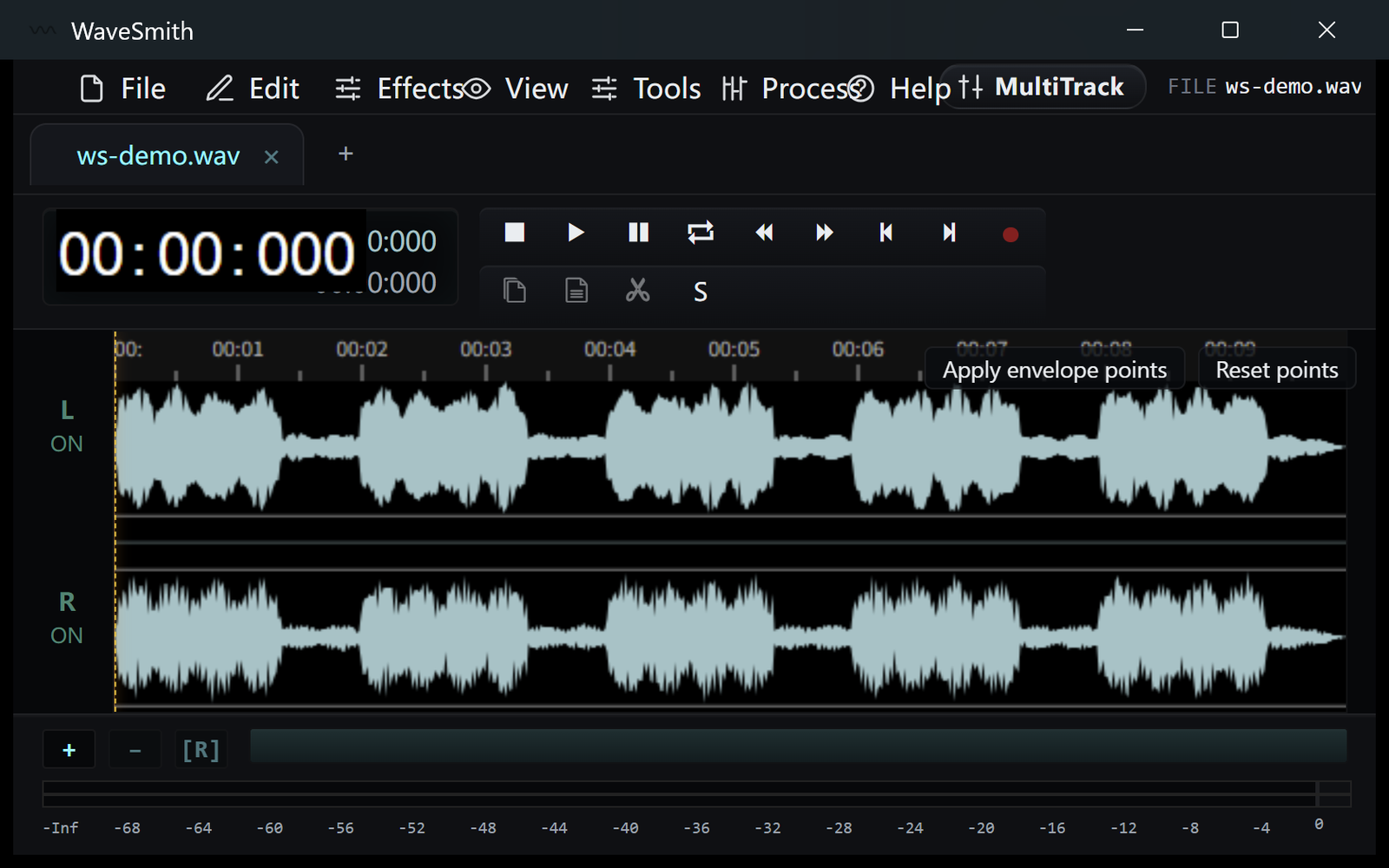
Step 2 File → Save for a float master, or Convert/Export back to MP3.
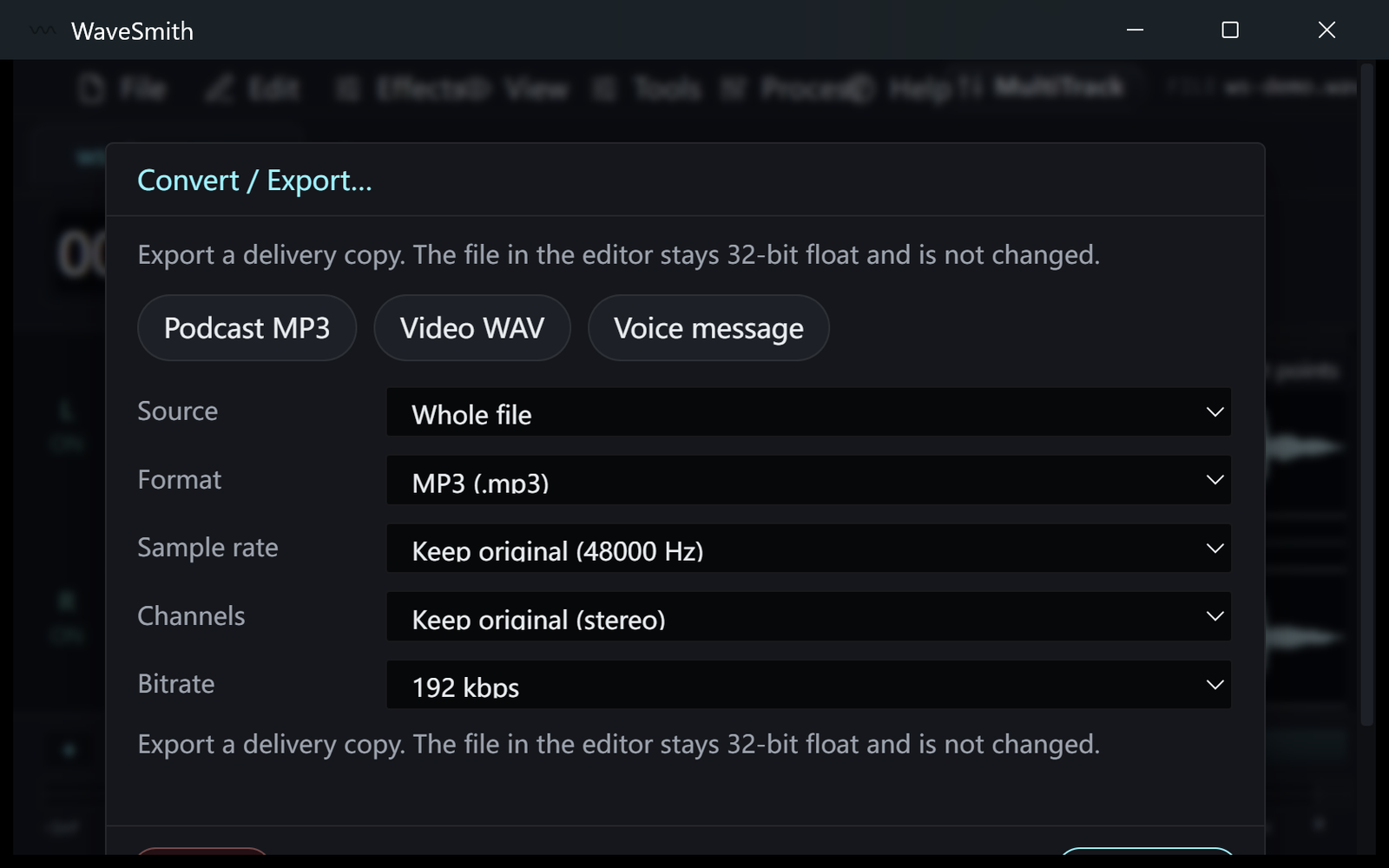
Step 3


Ready? Download the Windows installer.
Related
Install it. Open a file. Feel the difference.
Free Windows 64-bit installer. WaveSmith 1.1.0. Your audio does not go to our servers — we do not have a place to put it.
Download WaveSmith free