 WaveSmith
Home / Guides / How to merge MP3 files
How to merge MP3 files

WaveSmith concatenates on the waveform with an optional crossfade so the join does not click. That is the difference versus gluing files in an archive tool that cannot hear.
Insert File drops another clip at the playhead. Paste can crossfade. Concatenate tabs when the story is serial — an interview in three recordings, not three websites.
Join on the waveform so you can hear the seam
Open the first MP3. File → Insert File at the playhead, or paste with a crossfade. Concatenate tabs when the story is serial — three recordings of one interview, not three websites. Listen to the join on headphones. Archive tools that glue files without a playhead will hide a click until a listener finds it.
How to cut an MP3 is the trim. This page is the join. How to split a long audio file is the opposite job. Use related links, not near-duplicate titles, so each URL has one intent.
Export one file; keep the pieces
Convert/Export a single MP3 of the whole piece. Leave the source files. If one chapter still needs EQ, do that before the glue — effects after a merge are harder to isolate. Zero-cross and a short crossfade catch most amateur ticks.
Match sample rates before you glue. A 44.1 kHz MP3 butted into a 48 kHz WAV will make a tiny timing smear at the join even with a crossfade. Convert the pieces to the same rate first, join, then export one delivery file. Listen to a second of audio on each side of the seam, not just the click.
Match the rate, then glue, then listen to the seam
A 44.1 kHz MP3 butted into a 48 kHz WAV smears the join even with a crossfade. Convert the pieces to the same rate first, join, then export one delivery file. Listen to a second on each side of the seam, not just the click. If you hear a tick, undo, zero-cross, a short crossfade, try again. Do not glue files in an archive tool that cannot hear.
Markers help you find the intended join in a long dump. Concatenate on the waveform so you can see the breath. Export one MP3 with a new name. Keep the source files. Merging is not deleting. How to split a long audio file is the opposite afternoon.
If loudness jumps at the seam, match LUFS on each piece before you glue, or normalize the whole file after. Do not smash a limiter only on the second file and hope the join disappears. Ears first, meter second.
One delivery file, two sources still on disk
Concatenate on the waveform so you can see the breath at the join. Convert pieces to one sample rate first. Crossfade a few milliseconds. Listen on headphones. Export a new name. Deleting the sources is not part of merge. If you over-split yesterday, this is the repair. If loudness jumps, match LUFS on each piece before glue or normalize the whole file after — not a limiter only on file two.
How to do it in WaveSmith
Open the first MP3 so the waveform paints.
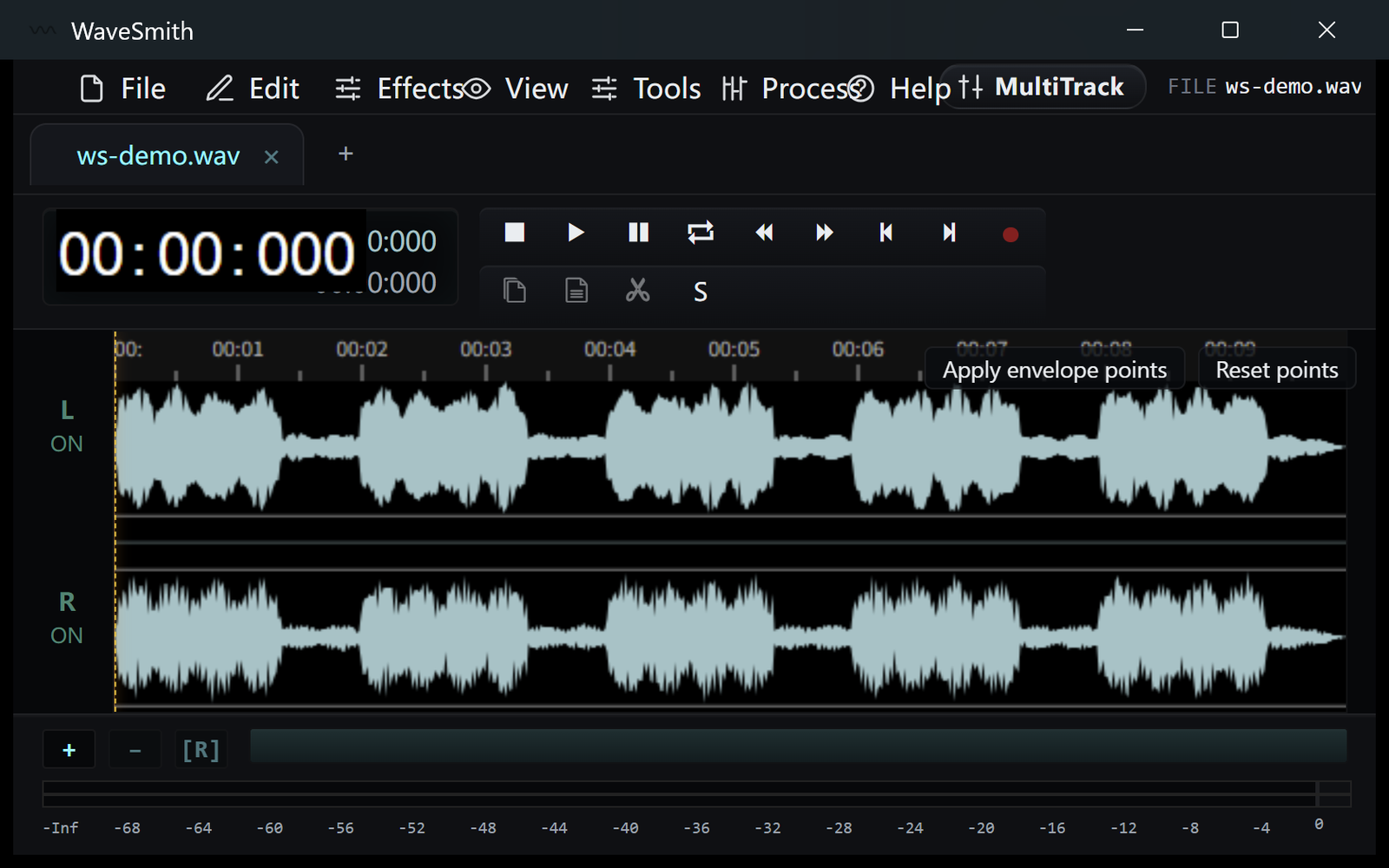
Step 1 File → Insert File at the playhead (or paste with crossfade).
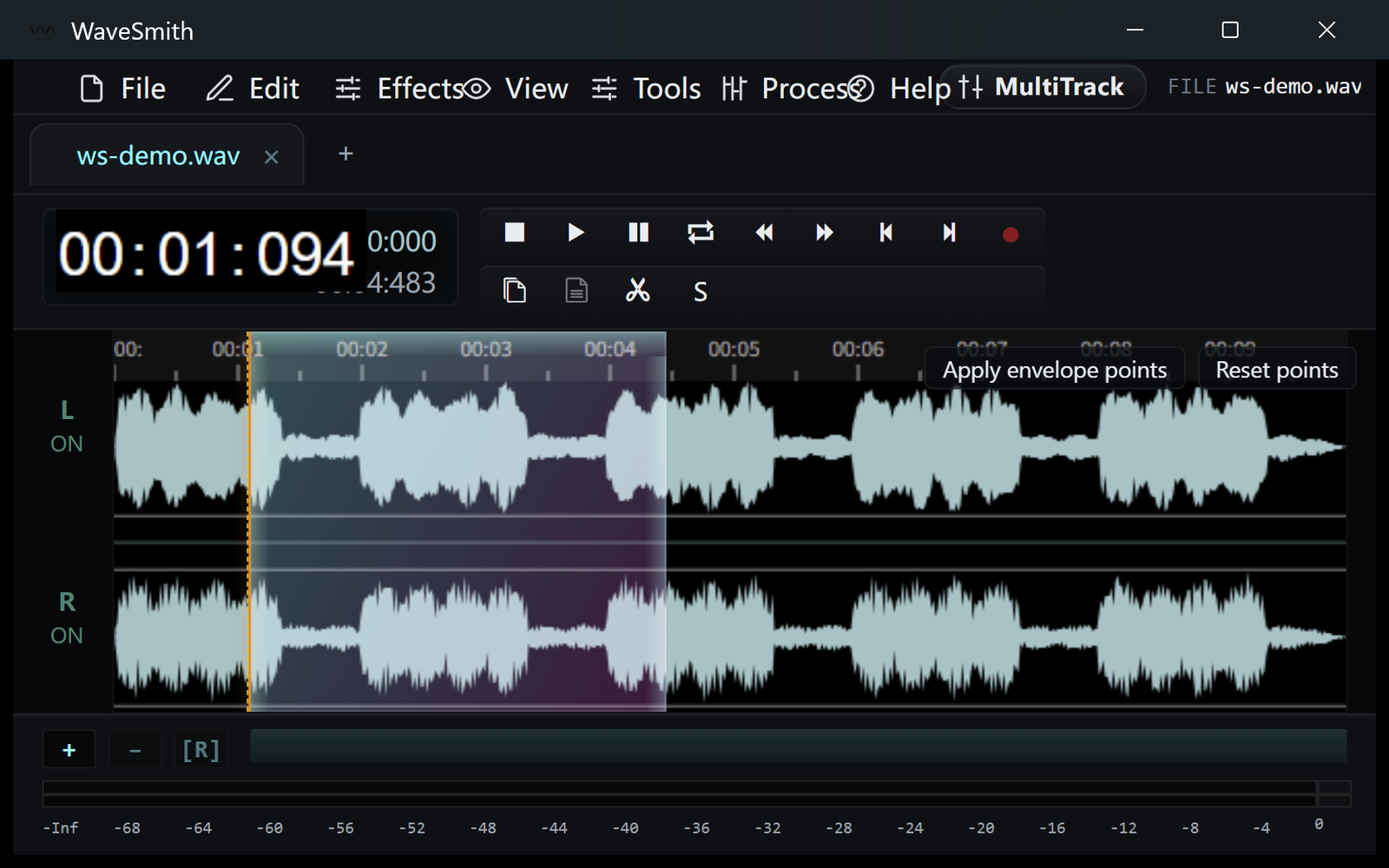
Step 2 Listen to the join, then Convert/Export one MP3 for the whole piece.
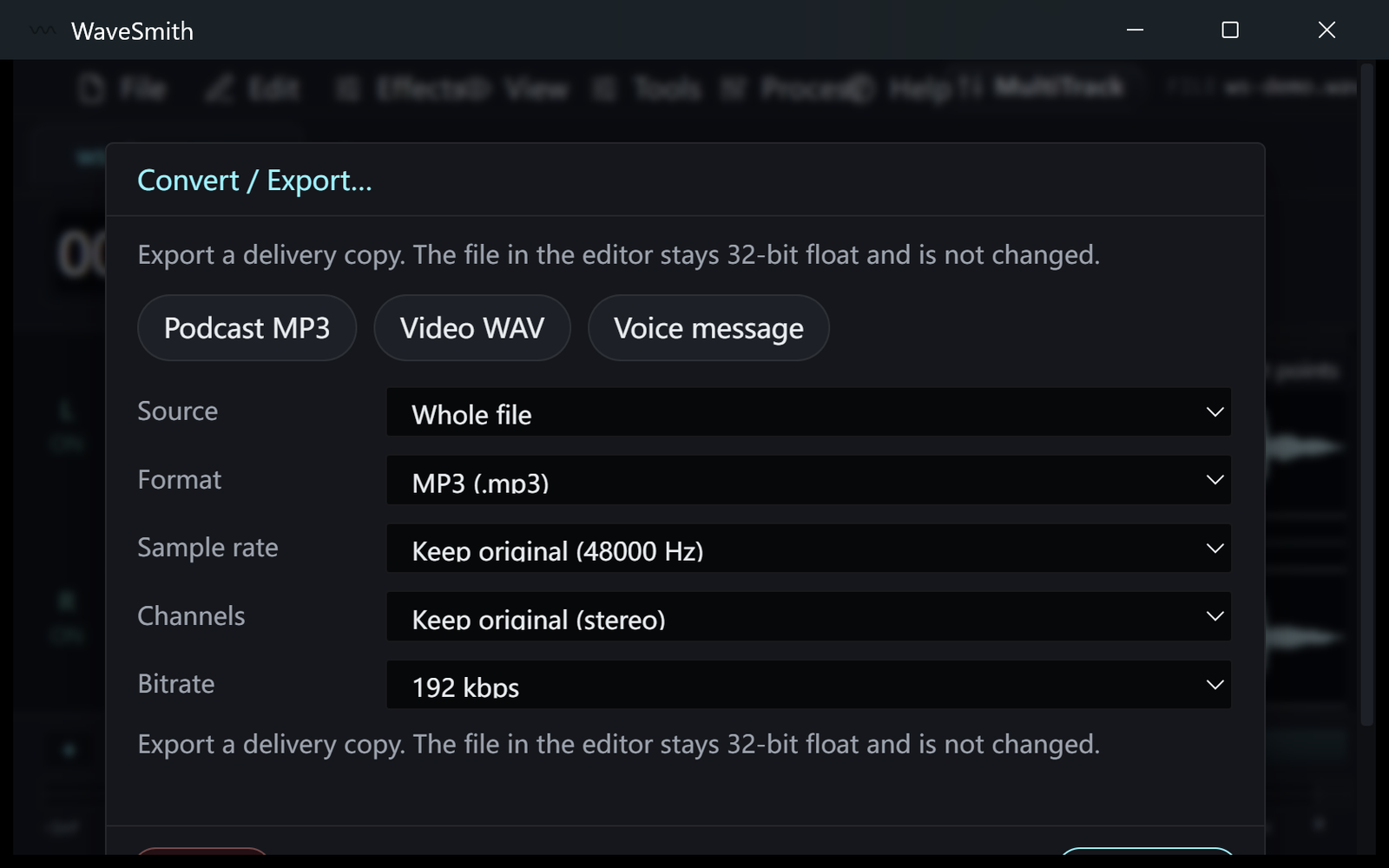
Step 3


Ready? Download the Windows installer.
Related
Install it. Open a file. Feel the difference.
Free Windows 64-bit installer. WaveSmith 1.1.0. Your audio does not go to our servers — we do not have a place to put it.
Download WaveSmith free