 WaveSmith
Home / Guides / How to extract a WAV soundtrack from MP4
How to extract a WAV soundtrack from MP4

Camera interviews arrive as MP4. The NLE wants WAV. The host wants MP3. One open, two exports, no extra gadget.
Pull a WAV soundtrack for the NLE
Camera interviews arrive as MP4, MKV, or MOV. Picture editors want a 48 kHz WAV they can drop on a timeline. Open the video like a WAV; WaveSmith pulls the soundtrack with FFmpeg on this PC. Trim slates and coughs on the wave, then Convert/Export the Video WAV preset. You never needed a second “extractor” gadget, and the picture never uploaded.
How to convert a video file to MP3 is the listening-copy path: same open, different export row (Lossy → MP3). Keep this page when the next app is an NLE. Keep that page when the next app is a phone or a podcast host. One cluster, two deliverables.
MKV and MOV use the same open
If the Open dialog hides video extensions, set the filter to video. Wait for the waveform — a long 4K file can take a moment while FFmpeg demuxes. Then it is a normal edit: select, cut, export. Save does not replace the camera file.
A 4K interview can take a minute to paint. Let it. Then zoom the first five seconds: slates, “testing 1 2”, a door. Cut those before you export the WAV the editor will actually use. If you also need an MP3 for the producer’s phone, convert a second copy from the same open file — do not transcode the WAV you just wrote unless you like extra generation loss.
WAV for the NLE, not a listening MP3
A 4K interview can take a minute to paint. Let it. Zoom the first five seconds: slates, “testing 1 2”, a door. Cut those before you export the WAV the editor will actually use. Convert/Export → the Video WAV row (48 kHz) unless the NLE asked for something else. If you also need an MP3 for a phone, convert a second copy from the same open file. Do not transcode the WAV you just wrote. That second job is How to convert a video file to MP3 — a different URL so the two searches do not share one page.
The picture never uploads. FFmpeg runs in your user folder on first convert. If Open fails, the file may be a variable-frame camera blob — try Convert on a copy, or remux outside WaveSmith and Open again. Keep the camera original. The feature page Open video files as a waveform is the format list. This how-to is the WAV soundtrack.
Do not upsample an MP3 later and call it a WAV master. If the producer asks for 48 kHz after you already made a listening copy, come back to the video or to this page. Generation loss is not a style.
Keep the camera original next to the WAV
Name the soundtrack after the clip plus `_wav48`. Do not call it `audio.wav` in a folder of twenty interviews. If Open is slow, that is the decoder painting a long 4K file, not a hang — wait, then zoom. If Open fails, remux or transcode a copy outside WaveSmith and try again; do not overwrite the camera card dump. The listening MP3, if you need one, is a second Convert from the same open document, not a transcode of the WAV you just wrote.
How to do it in WaveSmith
File → Open the .mp4 (or .mkv / .mov / .webm).
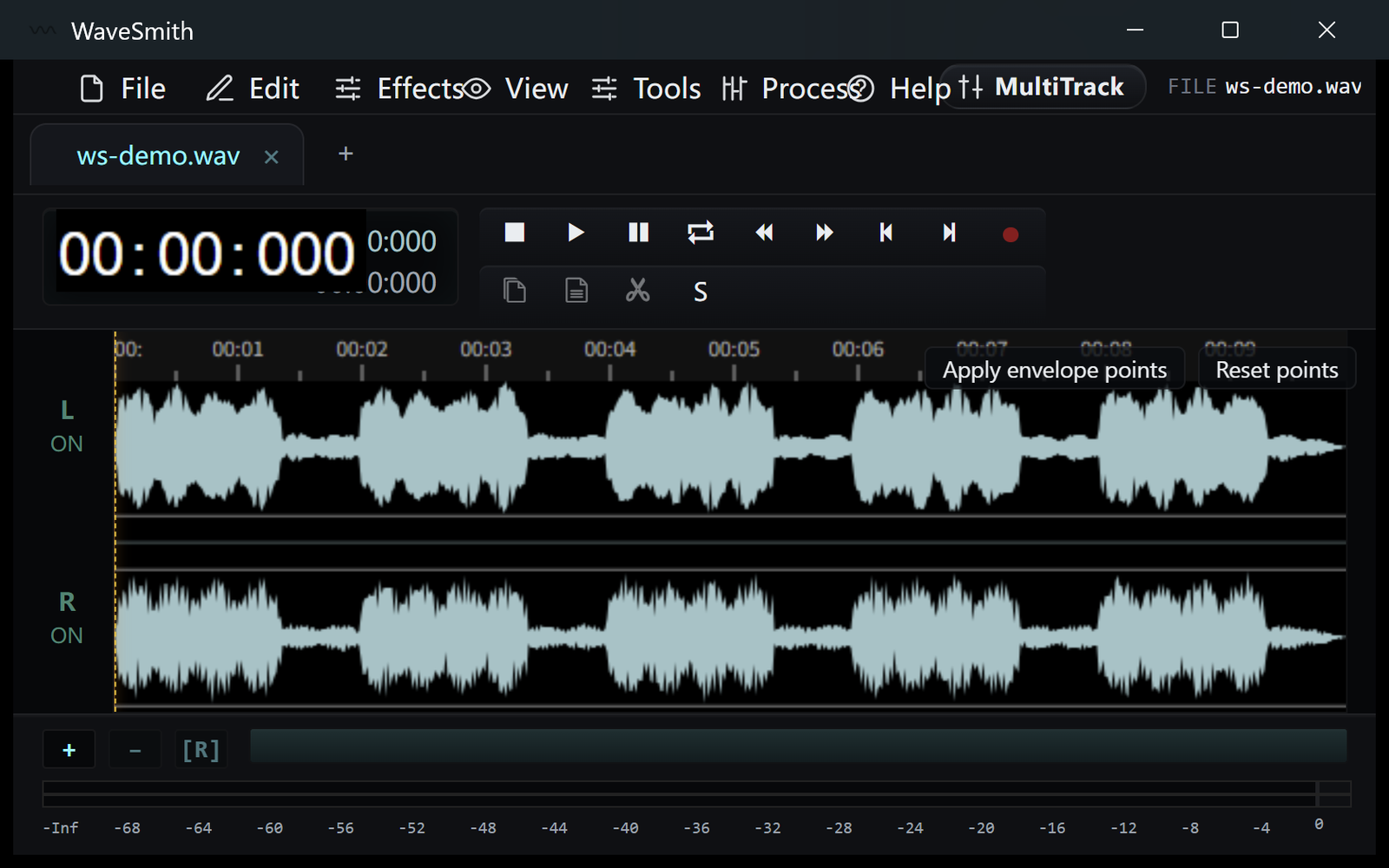
Step 1 Trim slates and coughs on the waveform.
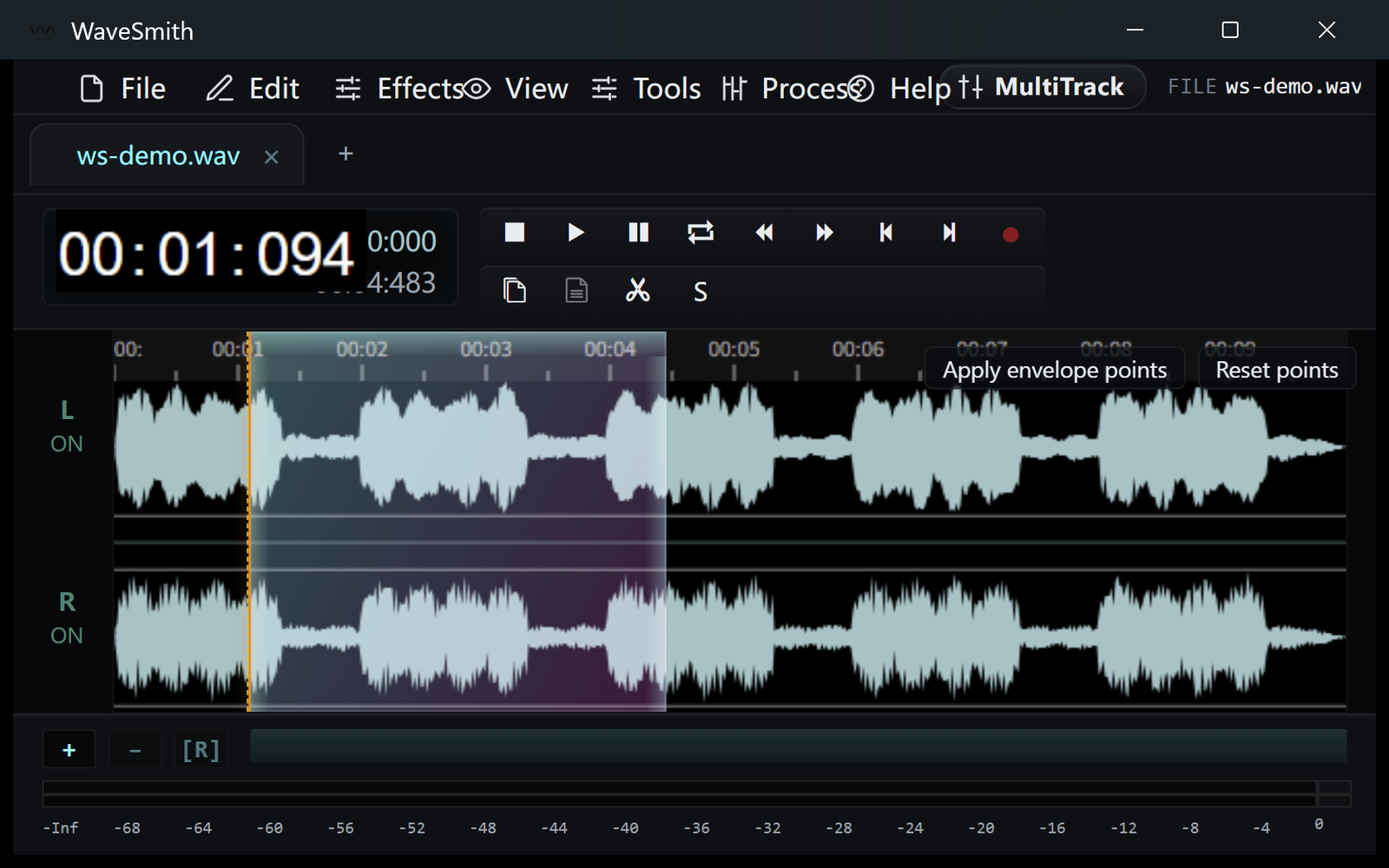
Step 2 Convert/Export WAV 48 kHz for picture, MP3 for words-only.
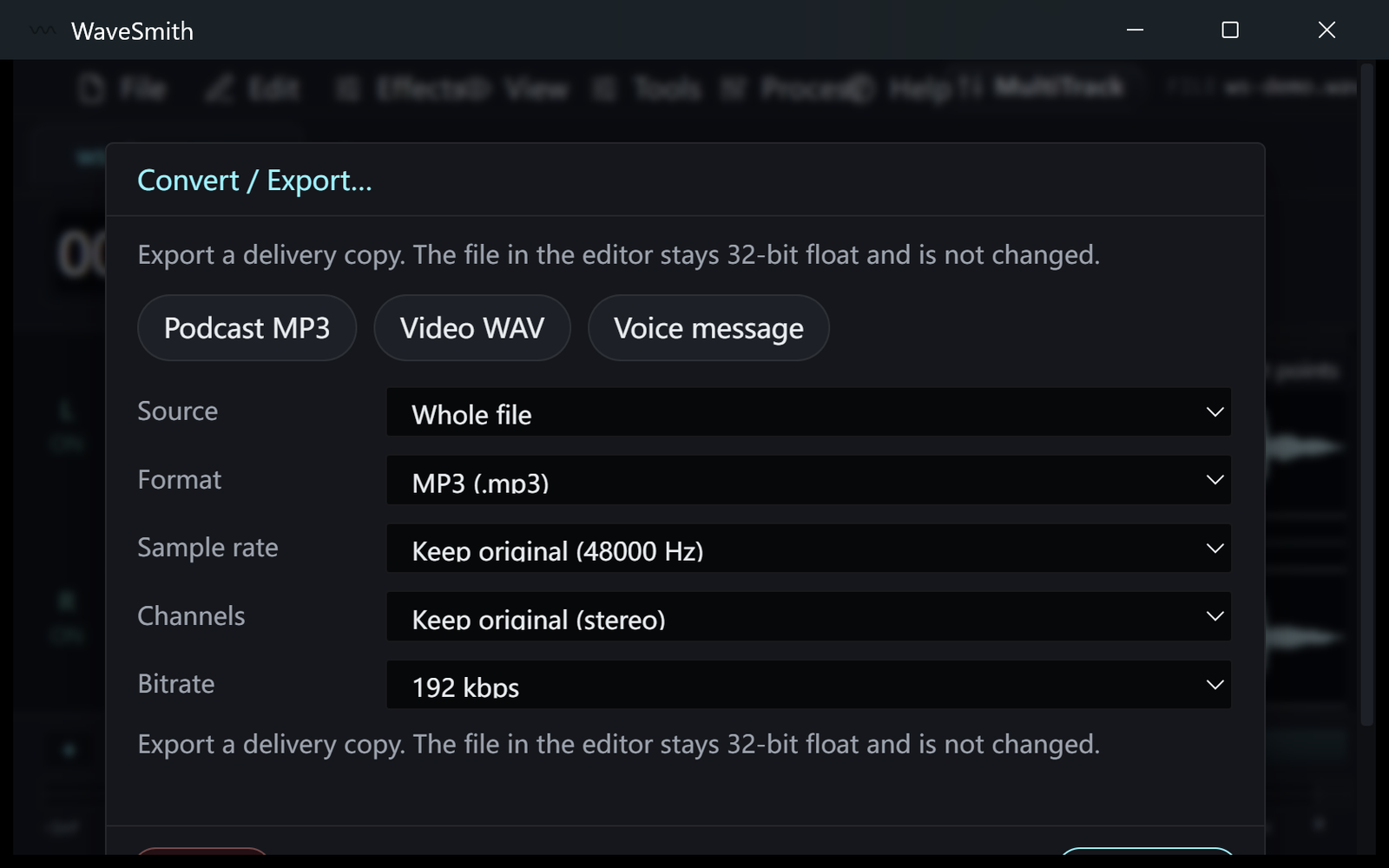
Step 3


Ready? Download the Windows installer.
Related
Install it. Open a file. Feel the difference.
Free Windows 64-bit installer. WaveSmith 1.1.0. Your audio does not go to our servers — we do not have a place to put it.
Download WaveSmith free