 WaveSmith
Home / Guides / How to make a YouTube MP3 on this PC (yt-dlp)
How to make a YouTube MP3 on this PC (yt-dlp)

This is not a pirate booth. Import only what you have rights to — your upload, a licensed asset, a clip you may keep. Then treat it like any other MP3 in the editor.
Rights first — this is not a pirate booth
Import only a URL you have the right to use: your own upload, a licensed asset, a clip a contract says you may keep. WaveSmith does not bypass paid access or hand you someone else’s catalog. You paste the link; you are responsible for it. File → Import from YouTube runs yt-dlp on this PC. Our servers never see the URL.
This guide is the how-to: paste, wait, trim, export. The feature page Import from YouTube (local yt-dlp) is the capability map — where the command lives, what the dialog does, why the file never visits our servers. Two URLs, two jobs. Do not treat a menu page as a tutorial or a tutorial as a spec.
After the MP3 opens, it is just a file
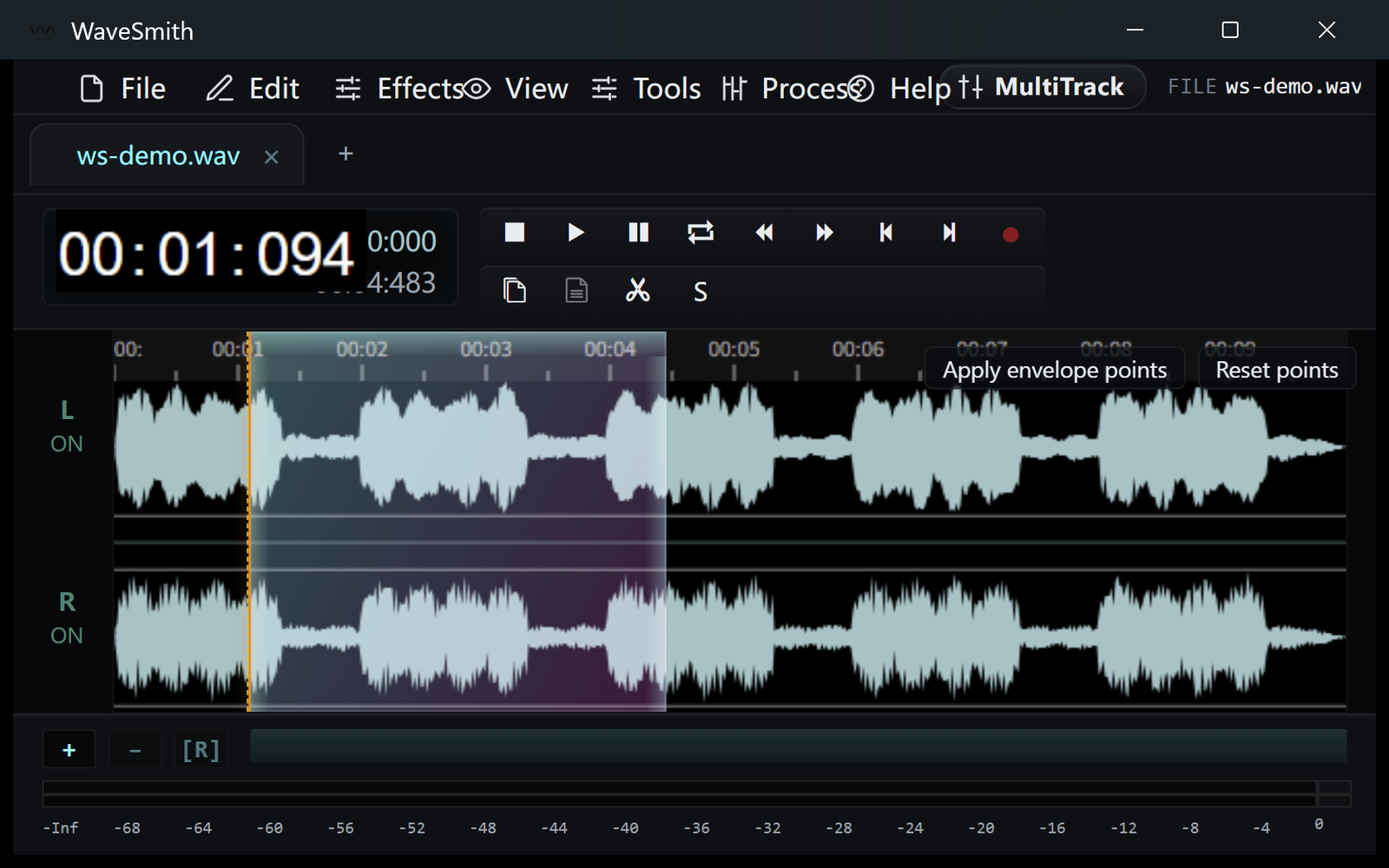
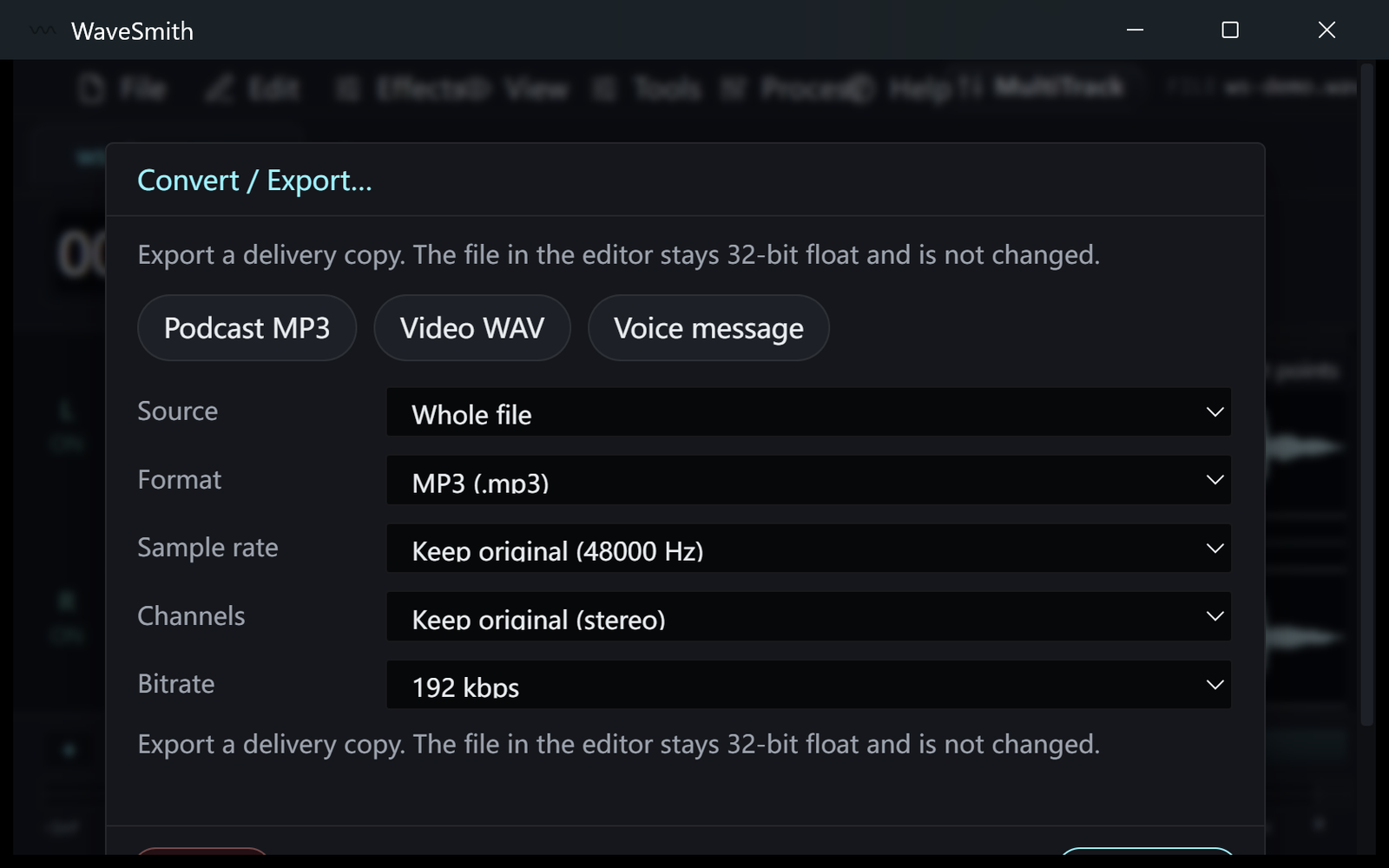
Trim intros you are allowed to drop. Match LUFS if it will sit next to other episodes. Convert to M4A or WAV if the destination wants that. Split on silence if the upload was a dump. That is why a workstation beats a one-shot converter website: the download is the start of the edit, not the product.
If yt-dlp fails, the usual causes are a private or members-only URL, a live that is still running, or a tool that needs an update in your user folder. WaveSmith is not a streaming-site proxy. Fix the URL or the local tool; do not paste a link you cannot defend.
A legitimate afternoon: you recorded the stream to YouTube yourself, or a client sent a link they own, and you need an MP3 to cut for a newsletter. Paste, wait, trim the slate, export. An illegitimate afternoon is “every song I like.” WaveSmith will not stop you; the law still will. The product difference versus a shady converter site is local yt-dlp plus an editor — not a promise that copyright is optional.
Keep the downloaded MP3 and a WAV convert if you will edit twice. yt-dlp updates live in your user folder; if a public video suddenly fails, update the tool, do not assume WaveSmith “broke YouTube.” Then return to the waveform. The converter website would have already lost the file when the tab closed.
Rights first, then yt-dlp, then the waveform
WaveSmith is not a pirate converter. File → Import from YouTube runs yt-dlp on this PC for a URL you have the right to use: your stream, a client’s, a video whose license allows a local MP3. “Every song I like” is not a use case this product is for. The difference versus a shady website is local tools plus an editor, not a claim that copyright is optional. If a public video fails after a site change, update yt-dlp in your user folder; do not assume the editor “broke YouTube.”
When the MP3 lands, treat it like any other file: trim the slate, do not overwrite the download if you will recut, export a named copy. Keep a WAV convert if you will edit twice. The converter website would have already lost the file when the tab closed. This how-to is the 1-2-3. The feature page Import from YouTube (local yt-dlp) is where the command lives in the menu.
Do not make YouTube-to-MP3 the only reason you installed an audio editor. Record, trim, convert WAV, extract a soundtrack — those are the jobs the rest of this site is built around. Import is a door, not the house.
After yt-dlp writes the file, you are in the same editor as File → Open. Trim the slate. Do not overwrite the download. Export a named copy. If you will recut, keep a WAV. Update yt-dlp in the user folder when a public URL starts failing. This product is still a waveform workstation: record, trim, convert, extract. Import is a door.
How to do it in WaveSmith
File → Import from YouTube… and paste the link.
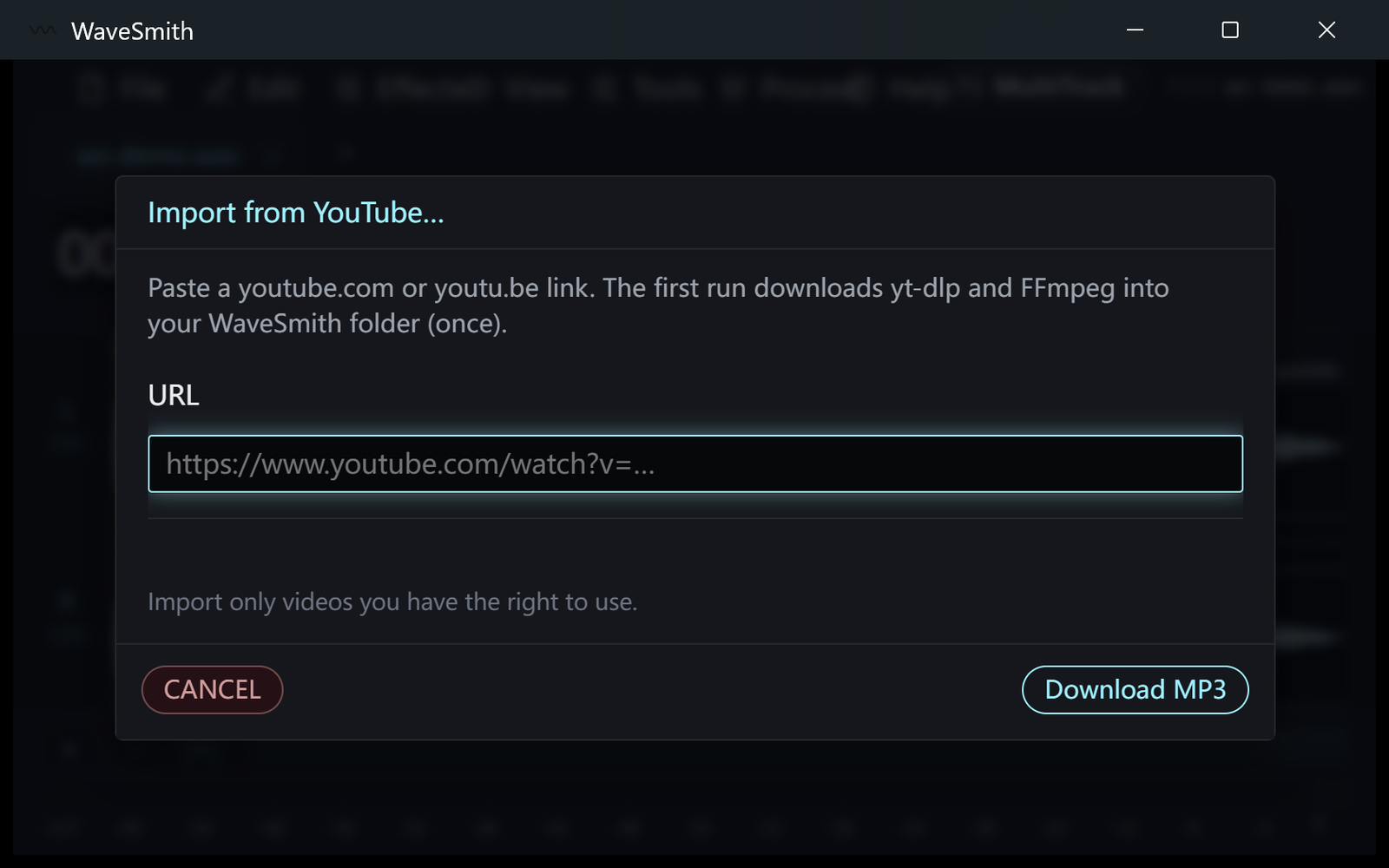
Step 1 When the MP3 opens, cut intros and ads you are allowed to drop.
Step 2 Convert/Export if you need WAV or M4A instead.
Step 3


Ready? Download the Windows installer.
Related
Install it. Open a file. Feel the difference.
Free Windows 64-bit installer. WaveSmith 1.1.0. Your audio does not go to our servers — we do not have a place to put it.
Download WaveSmith free