 WaveSmith
Home / Features / Win64 waveform workstation (native dialogs)
Win64 waveform workstation (native dialogs)

WaveSmith is a Windows waveform workstation: install it, open a file, cut it, save it. The website is only how you get the installer.
Most “audio editors” you find on Google are either a DAW that wants a session template or a page that asks you to drop a file into someone else’s browser. WaveSmith is the third shape: a Win64 GUI with a waveform in the middle, File on the left, and Convert when you need a copy.
Native Open and Save sit in File. Recent files, project files (.wsmith), auto-backup, and YouTube import sit there too. Tools holds recording, spectrogram, punch-in, command palette. Process holds repair, podcast chain, silence split, LUFS.
This feature page is the Win64 product: native dialogs, remembered window size, a file-first waveform. The homepage is the brand and category. Download is the installer. Comparison essays cover Audacity, Ocenaudio, and online cutters.
How to do it in WaveSmith
Download the 64-bit installer and keep the desktop shortcut.
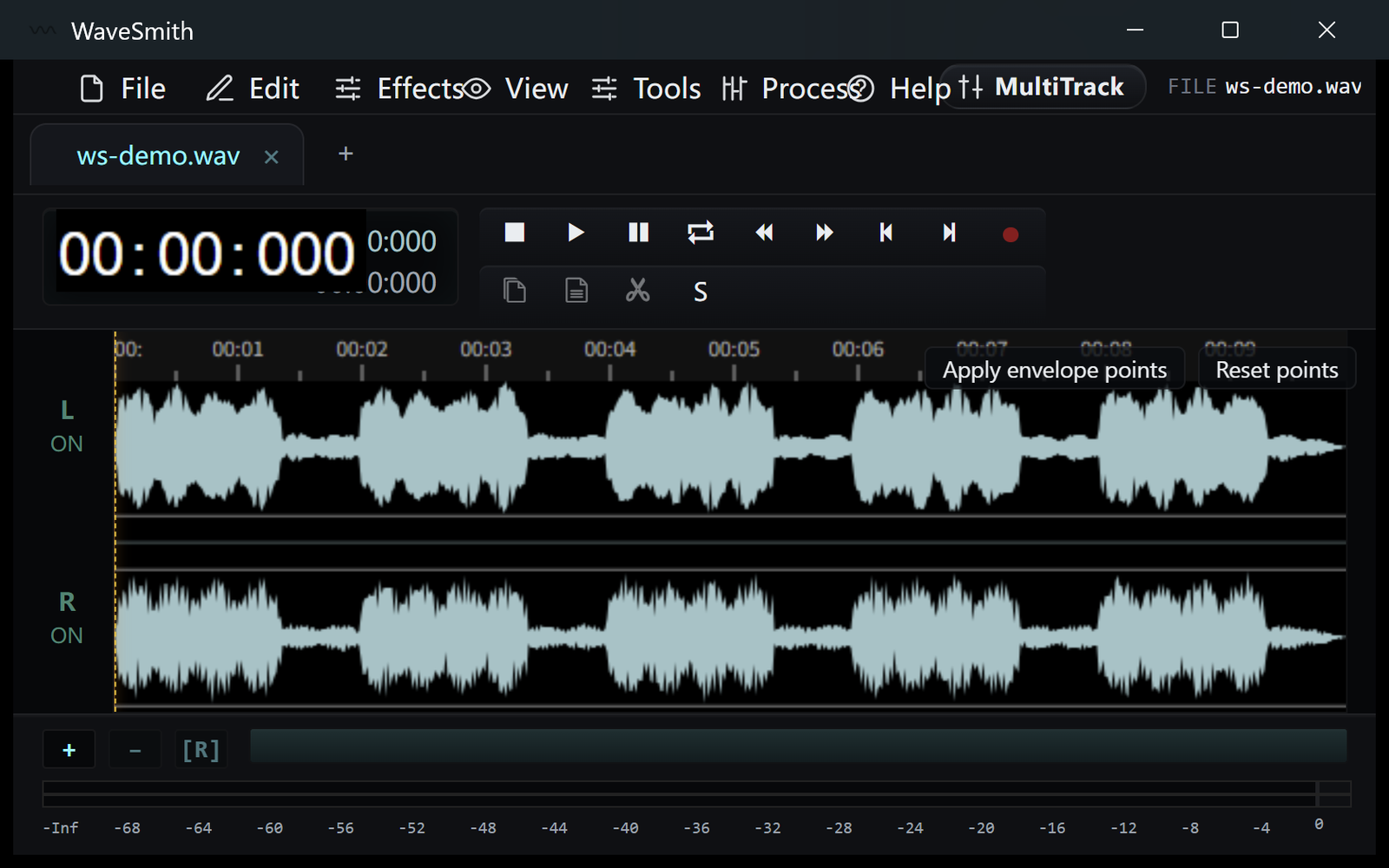
Step 1 Open a WAV, MP3, or video file from File or drag it onto the window.
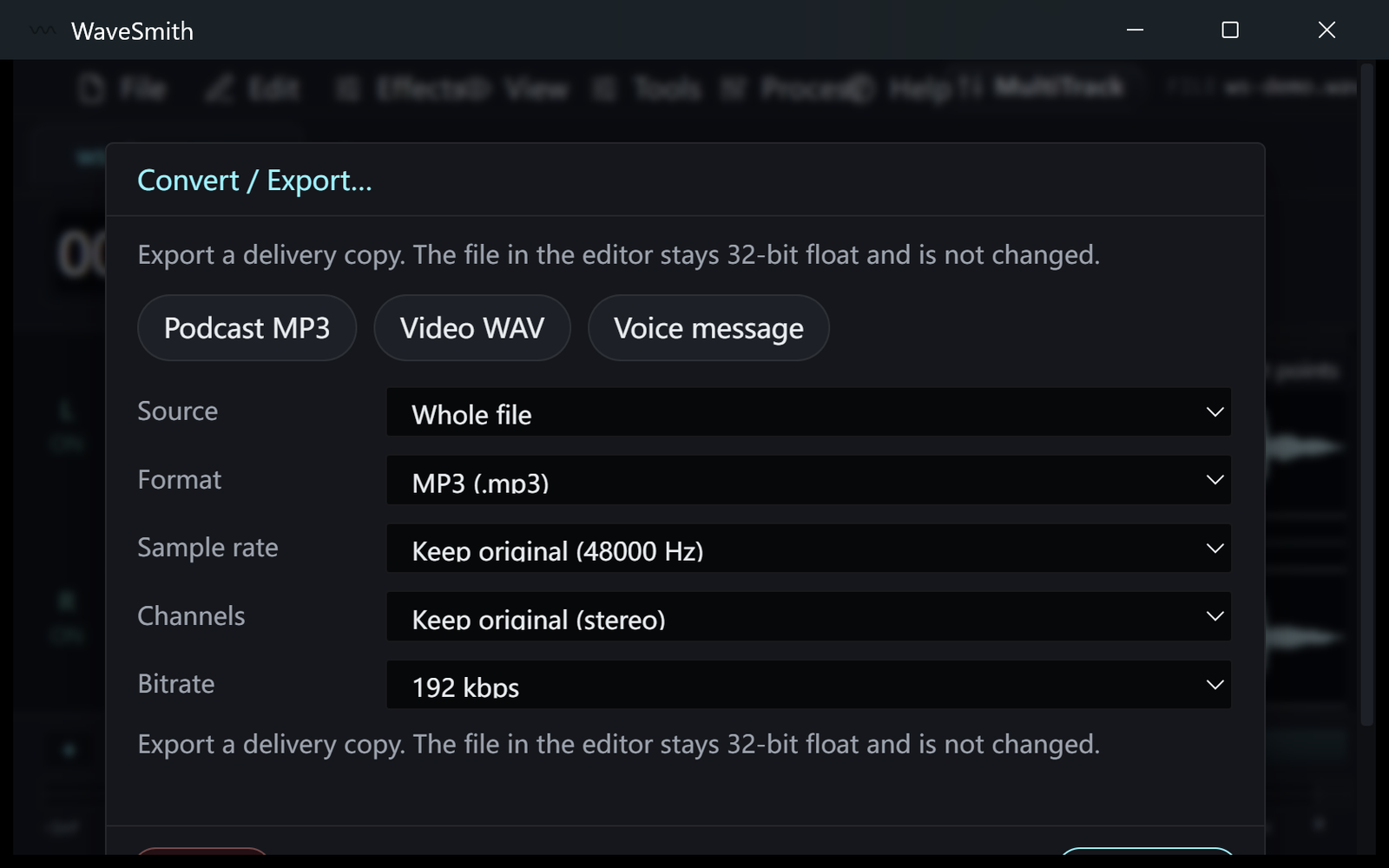
Step 2 Select, cut, then Save or Convert/Export for a delivery copy.
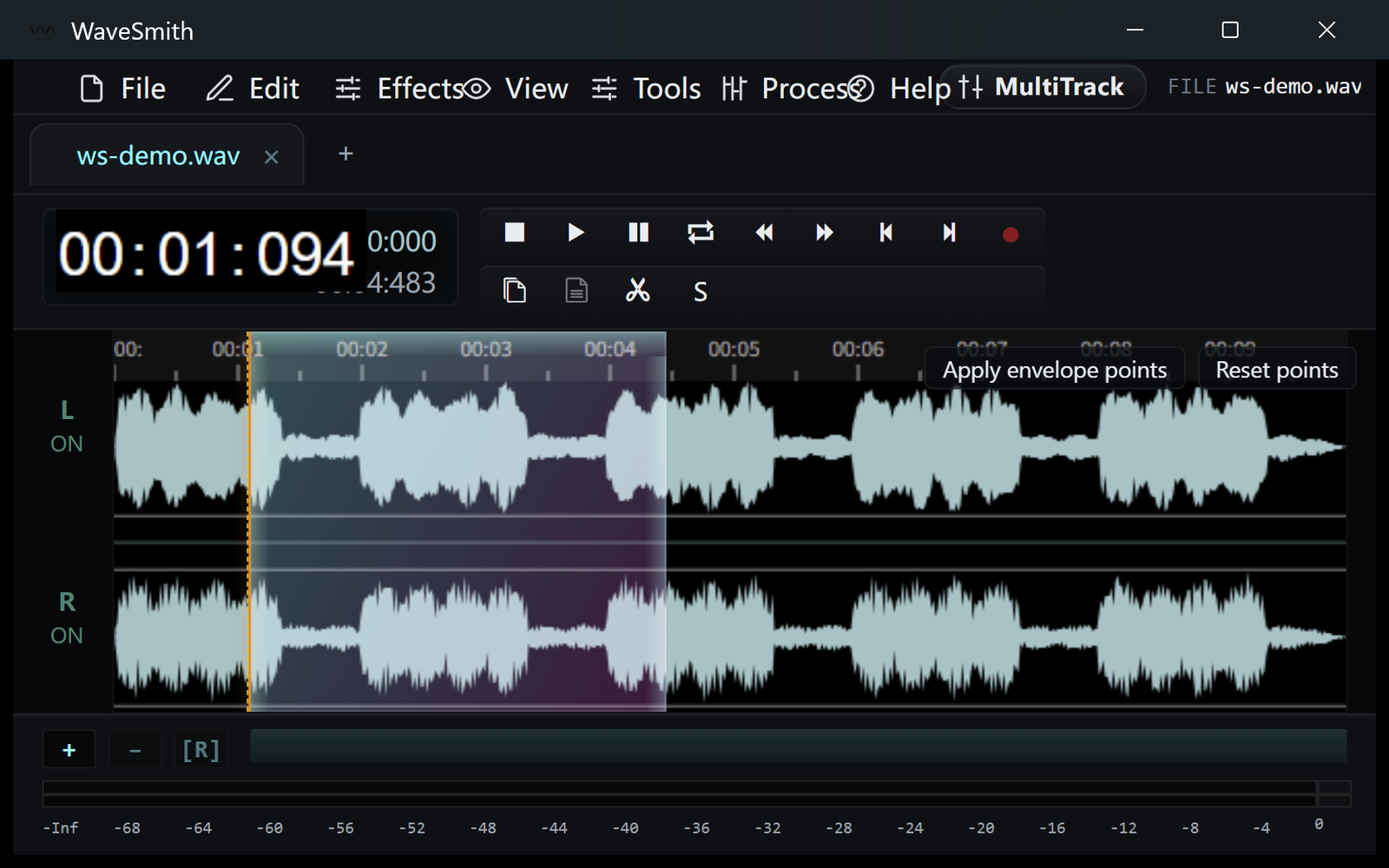
Step 3


Ready? Download the Windows installer.
Related
Install it. Open a file. Feel the difference.
Free Windows 64-bit installer. WaveSmith 1.1.0. Your audio does not go to our servers — we do not have a place to put it.
Download WaveSmith free